Table of Contents
- 1. What Are AWS Infrastructure Services?
- 2. Core Components of AWS Infrastructure
- 3. Key AWS Infrastructure Services Businesses Use
- 4. Benefits of AWS Cloud Solutions
- 5. Cloud Migration to AWS: Step-by-Step
- 6. AWS Security and Architecture Best Practices
- 7. AWS DevOps and Cost Optimization Strategies
- 8. When to Use AWS Cloud Consulting Services
- 9. Conclusion
- 10. FAQ’s
Cloud computing has become essential for organizations that need scalable, reliable, and cost-efficient IT infrastructure. Instead of relying on traditional on-premise systems, businesses are increasingly adopting cloud platforms to run applications, manage data, and support digital services.
Among global cloud providers, Amazon Web Services (AWS) leads the market. According to Statista, AWS holds about 30% of the global cloud infrastructure market, making it the largest cloud provider worldwide and a preferred platform for enterprises building modern digital solutions.
AWS infrastructure services provide a wide range of capabilities, including compute, storage, networking, and security. With the support of AWS cloud consulting services and well-planned cloud architecture consultation, businesses can build scalable environments, migrate workloads efficiently, and improve performance.
By leveraging AWS cloud, organizations can accelerate innovation, strengthen security, and optimize operational costs while maintaining highly available and resilient infrastructure.
What Are AWS Infrastructure Services?
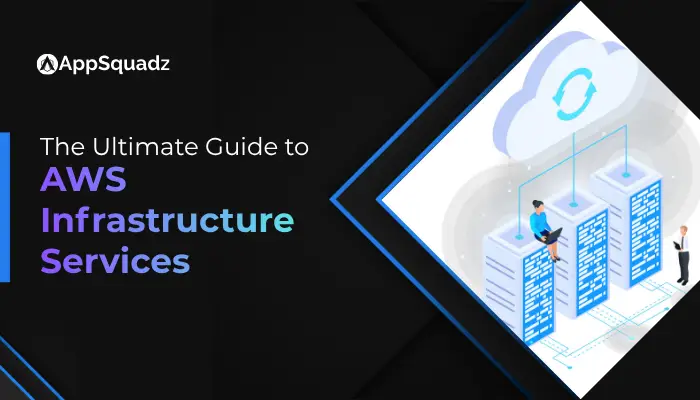
AWS infrastructure services are the core cloud resources offered by Amazon Web Services that allow businesses to build, deploy, and manage applications in the cloud. Instead of investing in physical servers and data centers, organizations can access computing power, storage, networking, and databases through the AWS cloud on a pay-as-you-go basis.
These services provide the foundation for modern cloud environments. Companies use them to run applications, store and process large volumes of data, manage networks, and ensure secure access to digital systems. Because AWS infrastructure is built across multiple global regions and availability zones, it enables high availability, reliability, and scalable performance for business workloads.
AWS infrastructure services typically include key capabilities such as compute resources, data storage, networking, database management, and security tools. Together, these services help organizations create flexible cloud architectures that can scale as business demands grow.
With the support of AWS cloud consulting services and AWS cloud architecture consulting, businesses can design efficient cloud environments, implement automation through AWS DevOps services, and ensure secure and optimized operations within their AWS cloud infrastructure.
Core Components of AWS Infrastructure
AWS infrastructure is built on several key components that work together to support scalable and reliable cloud environments.
Some of the components are:
- Compute Services: Provide the processing power required to run applications and workloads in the cloud. Services like Amazon EC2 and AWS Lambda allow businesses to deploy applications without managing physical servers.
- Storage Services: Enable organizations to store, access, and manage large volumes of data securely. Solutions such as Amazon S3 and Amazon EBS help businesses handle both structured and unstructured data efficiently.
- Networking Services: Manage communication between cloud resources and external systems. Services like Amazon VPC, Elastic Load Balancing, and AWS CloudFront help create secure and high-performing network environments.
- Database Services: Provide managed database solutions for storing and processing application data. AWS offers services such as Amazon RDS, DynamoDB, and Amazon Aurora to support various database needs.
- Security and Identity Services: Protect applications, data, and user access within the cloud environment. Tools like AWS Identity and Access Management (IAM) help control permissions and secure cloud infrastructure.
Key AWS Infrastructure Services Businesses Use
Businesses rely on several AWS infrastructure services to build scalable and reliable cloud environments.
These services support application deployment, data storage, networking, and database management:
- Amazon EC2 (Elastic Compute Cloud):
Provides virtual servers that allow businesses to run applications with flexible computing capacity. It enables organizations to scale resources up or down depending on workload requirements. - Amazon S3 (Simple Storage Service):
A highly scalable storage solution used for storing large volumes of data, backups, and application assets. It is widely used for data lakes, content storage, and disaster recovery. - Amazon VPC (Virtual Private Cloud):
Enables businesses to create isolated and secure cloud networks within AWS. It allows organizations to control IP ranges, subnets, and security settings for their infrastructure. - AWS Lambda:
A serverless computing service that allows developers to run code without managing servers. It automatically scales based on demand and supports event-driven applications. - Amazon RDS (Relational Database Service):
A managed database service that simplifies database setup, operation, and scaling. It supports popular database engines such as MySQL, PostgreSQL, and SQL Server.
Benefits of AWS Cloud Solutions
Adopting AWS cloud solutions provides organizations with several advantages that help improve operational efficiency, scalability, and business agility.
Some of the benefits of AWS Cloud:
- Scalability and Flexibility:
AWS allows businesses to scale infrastructure resources according to demand. Companies can quickly increase or decrease computing power, storage, and network capacity as needed. - Cost Efficiency:
With a pay-as-you-go pricing model, businesses only pay for the resources they use. AWS cost optimization strategies and AWS cost optimization services for enterprises help organizations reduce unnecessary cloud expenses. - High Availability and Reliability:
AWS infrastructure operates across multiple regions and availability zones, ensuring that applications remain accessible even during system failures. - Enhanced Security:
AWS offers advanced security tools and AWS cloud security services that help organizations protect data, manage access controls, and secure applications. - Faster Innovation and Deployment
By leveraging AWS DevOps services, businesses can automate development workflows, speed up application deployment, and improve overall development efficiency.
Ready to Build Scalable AWS Infrastructure?
Leverage powerful AWS cloud solutions to modernize your infrastructure, improve security, and scale your applications with confidence!
Get in touch
Cloud Migration to AWS: Step-by-Step
Migrating to AWS requires a structured approach to minimize disruption, ensure secure data transfer, and achieve optimal performance. A clear process helps businesses efficiently move workloads and leverage AWS capabilities.
Step 1: Assess Current Infrastructure
Begin by analyzing existing applications, workloads, and data systems. This assessment helps identify which resources should be migrated, upgraded, or replaced. Many organizations work with AWS cloud consulting services during this phase to evaluate readiness and define migration objectives.
Step 2: Define a Migration Strategy
Once the assessment is complete, businesses choose the most suitable migration approach. Common strategies include lift-and-shift (rehosting), replatforming, or refactoring applications to fully utilize AWS cloud solutions.
Step 3: Prepare the AWS Environment
Before migrating workloads, the AWS environment must be properly configured. This includes setting up networking, storage, security policies, and access controls. AWS cloud architecture consulting helps design a secure and scalable infrastructure.
Step 4: Migrate Applications and Data
Applications, databases, and workloads are transferred to AWS using migration tools and services. During this step, organizations monitor the process to ensure minimal downtime and maintain data integrity.
Step 5: Optimize and Monitor
After migration, businesses focus on improving performance and managing costs. This stage often includes implementing AWS DevOps services, monitoring infrastructure usage, and applying AWS cost optimization practices to ensure efficient cloud operations.
AWS Security and Architecture Best Practices
Building a secure and reliable cloud environment is essential for protecting applications, data, and business operations. AWS provides a wide range of security tools and architectural frameworks that help organizations maintain strong protection while ensuring high performance and scalability.
The following are the proven best practices that help businesses create resilient cloud environments and minimize potential security risks:
- Implement Strong Identity and Access Management: Use AWS Identity and Access Management (IAM) to control who can access cloud resources. Applying the principle of least privilege ensures that users and applications only receive the permissions they require.
- Enable Data Encryption: Protect sensitive data by enabling encryption for data at rest and in transit. AWS provides built-in encryption tools that help secure storage services, databases, and application data.
- Design Secure Network Architectures: Configure secure networks using services like Amazon VPC, security groups, and network access control lists. These tools help isolate workloads and control traffic between cloud resources.
- Monitor and Detect Threats: Continuous monitoring is critical for maintaining cloud security. AWS monitoring and logging services allow organizations to detect suspicious activities, analyze system behavior, and respond quickly to potential threats.
- Regularly Audit and Update Infrastructure: Businesses should frequently review security policies, update configurations, and apply patches to maintain a secure infrastructure. Many organizations rely on AWS cloud security services to maintain compliance and strengthen their overall security posture.
AWS DevOps and Cost Optimization Strategies
To maximize the value of cloud infrastructure, businesses must focus on efficient deployment processes and effective cost management.
By combining AWS DevOps services with smart AWS cost optimization strategies, organizations can improve operational efficiency while controlling cloud expenses:
- Automate Deployment with DevOps Tools: AWS provides tools that enable continuous integration and continuous deployment (CI/CD). Automation helps development teams release updates faster, reduce manual errors, and maintain consistent application performance.
- Use Infrastructure as Code (IaC): Infrastructure as Code allows teams to define and manage cloud resources through automated scripts. This approach improves consistency, speeds up infrastructure deployment, and simplifies environment management.
- Monitor Resource Usage: Continuous monitoring helps businesses track resource consumption and identify underutilized services. Monitoring tools allow teams to adjust infrastructure based on actual workload requirements.
- Right-Size Cloud Resources: Organizations should regularly evaluate compute, storage, and networking resources to ensure they are not overprovisioned. Proper resource allocation is a key part of AWS cost optimization services for enterprises.
- Implement Cost Management Practices: Businesses can set budgets, track usage, and analyze spending patterns to manage cloud costs effectively. Combining these practices with optimized infrastructure helps companies gain the most value from AWS cloud solutions.
When to Use AWS Cloud Consulting Services
Businesses often turn to AWS cloud consulting services when they need expert guidance to build, migrate, or optimize their cloud infrastructure. Experienced providers like AppSquadz help organizations design scalable AWS environments, improve system performance, and ensure secure cloud operations.
You should consider AWS consulting support in the following situations:
- Cloud Migration Planning: When moving applications and data to AWS, consultants help create a structured migration strategy and ensure smooth workload transfer.
- Cloud Architecture Design: Companies launching new digital platforms often require AWS cloud architecture consulting to build secure and scalable infrastructure.
- Strengthening Security: Businesses handling sensitive data may need AWS cloud security services to protect applications and enforce strong access controls.
- DevOps Implementation: Organizations adopting automation can leverage AWS DevOps services to streamline deployment and development workflows.
- Cost Optimization: Enterprises use AWS cost optimization services for enterprises to monitor usage, reduce unnecessary expenses, and improve resource efficiency.
With the support of AppSquadz, businesses can successfully manage AWS infrastructure and accelerate their cloud transformation journey.
Conclusion
AWS infrastructure services provide businesses with a scalable, secure, and flexible foundation for building modern cloud applications. From compute and storage to networking and security, AWS enables organizations to deploy reliable systems while adapting quickly to changing business needs.
However, successful cloud adoption requires the right strategy, architecture, and ongoing optimization. With expert support from providers like AppSquadz, businesses can design efficient AWS environments, strengthen cloud security, and ensure long-term performance and cost efficiency.
FAQ’s
1. What are AWS infrastructure services?
Ans: AWS infrastructure services are cloud-based resources such as compute, storage, networking, and databases that help businesses build, deploy, and manage applications without relying on physical servers.
2. Why do businesses choose AWS cloud solutions?
Ans: Businesses choose AWS cloud solutions because they offer scalability, high availability, strong security, and a flexible pay-as-you-go pricing model that helps optimize operational costs.
3. How can businesses migrate their infrastructure to AWS?
Ans: Organizations can migrate by assessing existing workloads, selecting a migration strategy, preparing the AWS environment, transferring applications and data, and optimizing performance post-migration.
4. How does AWS help secure applications and data?
Ans: AWS offers multiple security features, including identity and access management, data encryption, network security controls, and monitoring tools, to protect applications and sensitive data.
5. How can enterprises optimize AWS costs?
Ans: Enterprises can optimize costs by monitoring resource usage, right-sizing infrastructure, automating workloads, and using AWS cost optimization strategies to reduce unnecessary cloud spending.